Legal Entities in Dynamics 365 Finance and Operations: A Quick Guide
Imagine you’re running a global business with offices in the UK, Germany, and France. Each country has its tax laws, financial reporting rules, and compliance headaches. On top of that, your company has internal teams like sales, manufacturing, and retail that need to track their budgets and performance. How do you set up Microsoft Dynamics 365 Finance and Operations to keep everything organised, compliant, and efficient? The answer lies in understanding legal entities and operating units.
If you’re new to Dynamics 365 Finance and Operations or planning a company-wide setup, mastering these concepts is your first step. This post breaks down what legal entities and operating units are, how they differ, and how to structure them to avoid costly mistakes. Let’s dive in!
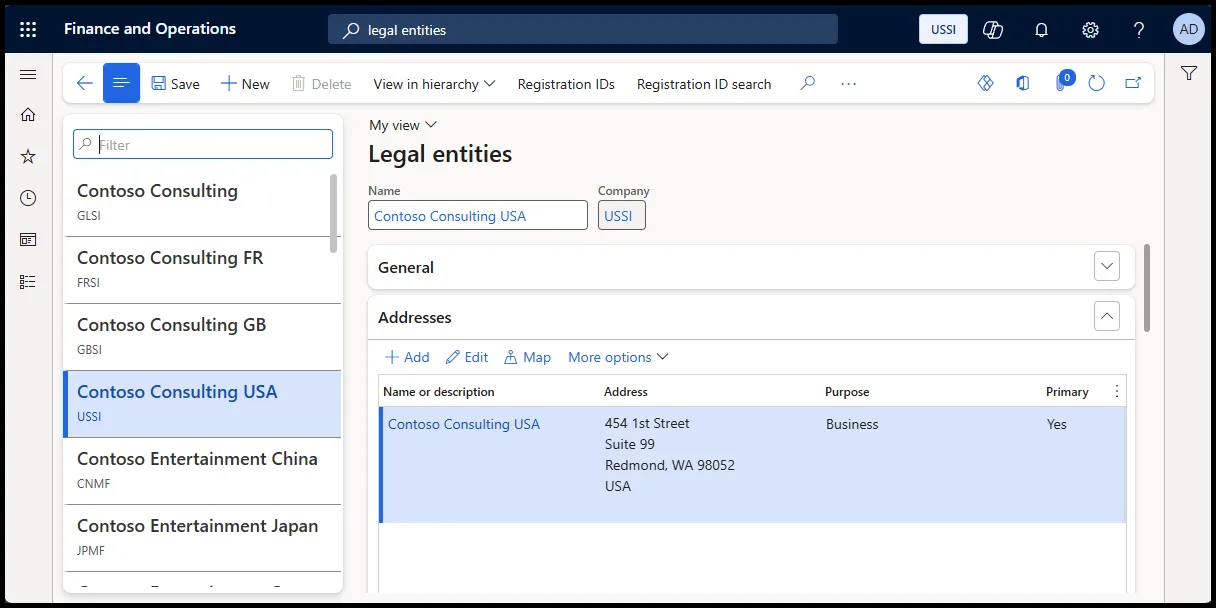
What are legal entities?
A legal entity in Dynamics 365 is a separate company within your business. It’s an organisation that’s legally registered to sign contracts, file taxes, and comply with local regulations. Think of it as the official face of your business in a specific country or region.
In Dynamics 365 Finance and Operations, each legal entity gets its own:
- Financial setup: General ledger, chart of accounts, and fiscal calendar.
- Data isolation: Separate records for customers, vendors, inventory, bank accounts, and taxes.
- Compliance tools: Settings to meet local tax laws and reporting requirements.
For example, if your company has a UK subsidiary and a German branch, each would be a separate legal entity in Dynamics 365, ensuring they follow their respective countries’ rules.
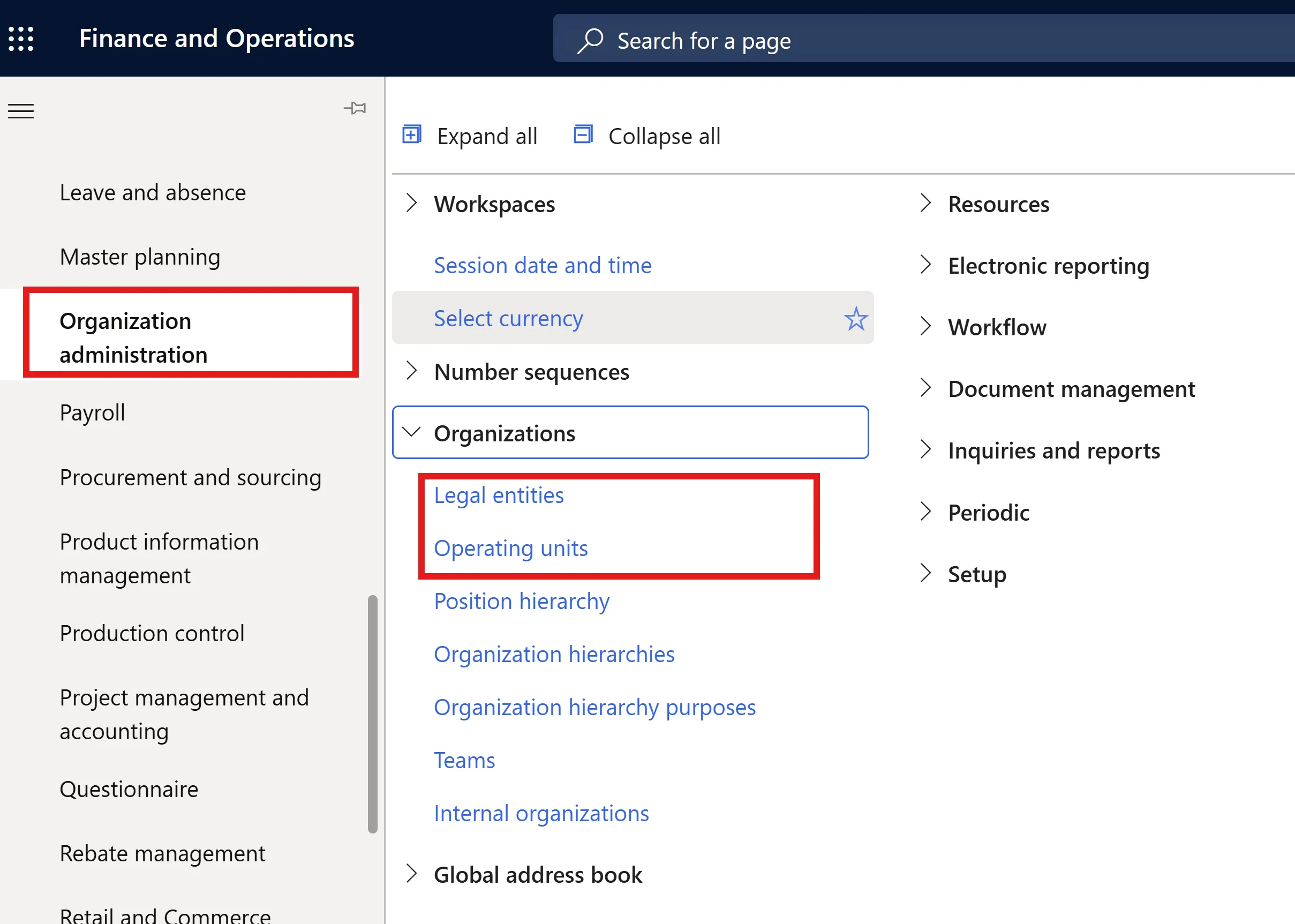
Why it matters: Legal entities keep your financials clean and compliant, especially for businesses operating across multiple countries. They also support intercompany transactions, for example, when a UK office sells goods to the German branch, while keeping everything legally distinct.
What are operating units?
Now, let’s talk about operating units. These are internal divisions within a legal entity, like departments, cost centres, or business units. Unlike legal entities, they don’t have legal standing or file taxes. Instead, they help you manage internal operations and track performance.
For instance, within a UK legal entity, you might have operating units for:
- Retail: Your chain of stores.
- Manufacturing: Your production facilities.
- Sales: Your regional sales teams.
Operating units share the same financial setup, such as currency exchange rates and fiscal calendar, as their parent legal entity. They’re perfect for tracking budgets or performance without worrying about external compliance.
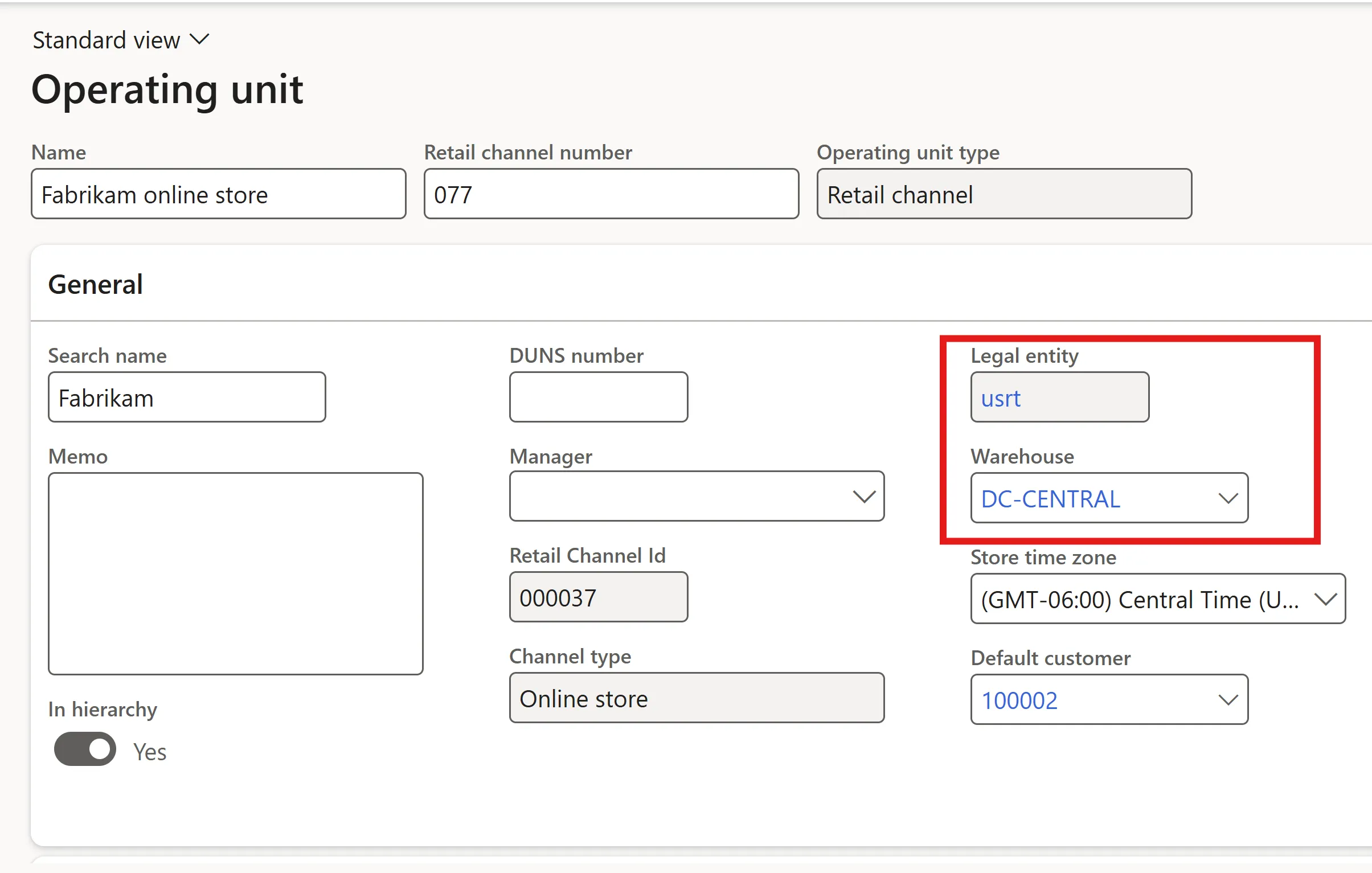
Why it matters: Operating units give you flexibility to organise internal teams while keeping data and processes streamlined within a legal entity.
Legal entities vs operating units: key differences
The distinction between legal entities and operating units can be tricky, but getting it right is crucial before you start configuring Dynamics 365. Here’s a quick comparison:
| Aspect | Legal Entity | Operating Unit |
|---|---|---|
| Definition | A formally registered organisation (company/subsidiary) has legal standing and DataAreaId. | An internal subdivision (cost centre, department, value stream, retail channel, business unit) |
| Legal/Contract Authority | Can enter contracts independently and is responsible for compliance, tax, and statutory reporting. | Cannot enter into contracts independently, used for internal purposes; no legal standing. |
| Data Partitioning | Complete data isolation (GL, AR/AP, inventory, tax, etc.) per DataAreaId. | Shares data (transactions, master data) within its parent legal entity; not data-isolated |
| Use Cases | Legal compliance, statutory and tax reporting, intercompany transactions, and consolidation structures | Budgeting, resource control, internal performance reporting (one or many per legal entity) |
| Examples | Parent company, regional subsidiary, branch office | Sales department, manufacturing unit, cost centre, retail store |
| Hierarchy & Reporting | Used in legal/statutory reporting structures and consolidation hierarchies | Included in internal organisational hierarchies for reporting internal control |
Pro Tip: Think of legal entities as independent companies with their own bank accounts and tax forms. Operating units are like teams within those companies, sharing the same bank account but tracking their budgets.
How to set up your organisation in Dynamics 365
To model your business in Dynamics 365, you’ll create a structure that combines legal entities and operating units. Here’s how it works:
- Map Legal Entities to Legal Jurisdictions:
- Create a legal entity for each country or region where you have distinct compliance needs (for example, UK, Germany, France).
- Configure each with its currency, tax settings, and fiscal calendar.
- Define Operating Units for Internal Divisions:
- Within each legal entity, set up operating units for departments or teams (for example, retail, manufacturing).
- These units share master data (like customer or vendor lists) to simplify processes.
- Build Organisational Hierarchies:
- Create hierarchies for different purposes, like financial reporting (grouping legal entities) or internal management (grouping operating units).
- Use Dynamics 365’s versioning and draft mode to plan changes without disrupting operations.
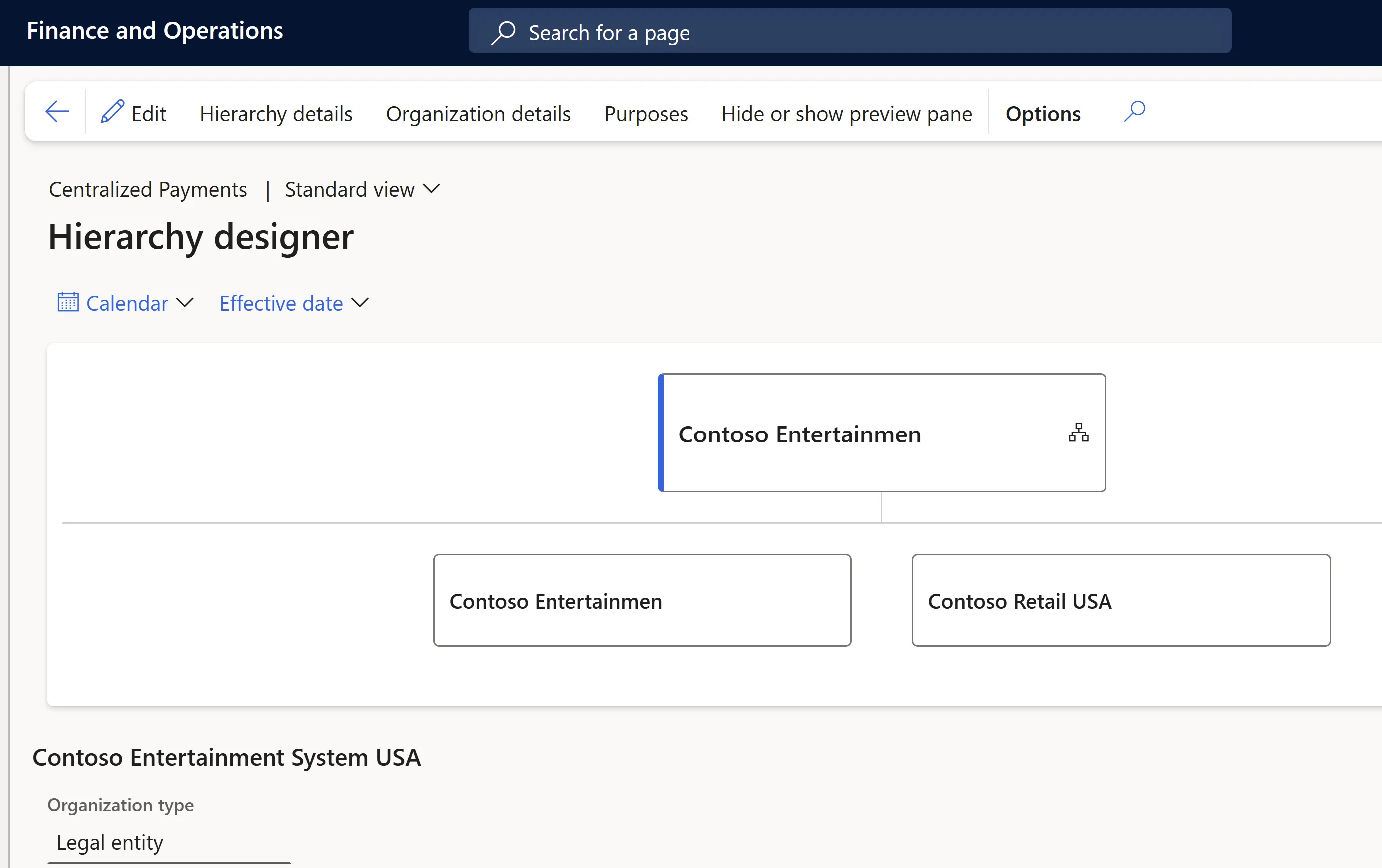
Example Scenario: Contoso Entertainment, a company with offices in the UK, Germany, and France. They set up three legal entities, one for each country, with separate ledgers and tax rules. In the UK entity, they create operating units for retail, wholesale, and manufacturing. A financial hierarchy groups the three legal entities for consolidated reporting, while a separate hierarchy organises the UK operating units for budgeting and performance tracking.
Common mistakes to avoid
Setting up legal entities and operating units sounds straightforward, but it’s easy to make mistakes. Here are three common pitfalls and how to avoid them:
- Mixing Multiple Countries in One Legal Entity:
- Mistake: Trying to combine UK and German operations into one legal entity to save time.
- Why it’s bad: Dynamics 365 Finance and Operations ties each legal entity to one country’s localisation, so this can break tax reporting and compliance.
- Fix: Create a separate legal entity for each country. Use the Regulatory Configuration Service (RCS) for multiple tax IDs within one entity if needed.
- Treating Internal Teams as Legal Entities:
- Mistake: Setting up your sales or manufacturing teams as legal entities.
- Why it isn’t good: This creates unnecessary complexity, like managing separate ledgers for teams that share the same legal identity.
- Fix: Use operating units for internal divisions and reserve legal entities for actual legal jurisdictions.
- Overusing Data Sharing:
- Mistake: Sharing data across legal entities without understanding the limits.
- Why it’s bad: Data sharing can cause errors, especially with high record volumes or when syncing with Customer Engagement apps via dual-write.
- Fix: Limit data sharing and test configurations thoroughly to avoid surprises.
Business units vs operating units: a quick note
If you’re working with Dynamics 365’s Customer Engagement apps (like Sales or Customer Service), you’ll encounter business units, which are different from operating units in Finance and Operations. Business units in CRM focus on data security, controlling who can access accounts, opportunities, or cases. For example, a US North sales team might be a business unit with restricted access to US South data.
In Finance and Operations, operating units (including business units as a subtype) focus on resource management and financial tracking, like budgeting for a sales department. The names are similar, but their purposes differ, so don’t confuse them when working across Dynamics 365 modules.
Conclusion
Setting up legal entities and operating units in Dynamics 365 Finance and Operations is like building the foundation of a house; it needs to be solid to support everything else. Legal entities keep you compliant with local laws, while operating units help you manage internal teams efficiently. By mapping your organisation’s real-world structure to Dynamics 365 and avoiding common pitfalls, you’ll ensure smooth operations and accurate reporting.
Next Steps:
- Review your structure: Map out your legal entities and operating units based on your company’s legal and operational needs.
- Test your setup: Use Dynamics 365’s draft mode to experiment with hierarchies before going live.
- Learn more: Check out Microsoft’s official Dynamics 365 documentation or consult a functional expert for complex setups.
Got questions about configuring Dynamics 365 or tackling a specific scenario? Drop them in the comments, and let’s chat. If you want to master Finance and Operations apps, book a discovery call to discuss our bespoke training packages for users and consultants.