Manufacturing Flushing Methods in Business Central
Manufacturing Flushing methods are designed to automate the consumption of components throughout the manufacturing process. Flushing methods can also automate capacity when applied to Work and Machine Centres.
In this blog post, we will learn all about flushing methods and how to use them to improve shopfloor efficiency when using Microsoft Dynamics 365 Business Central.
Understanding flushing methods
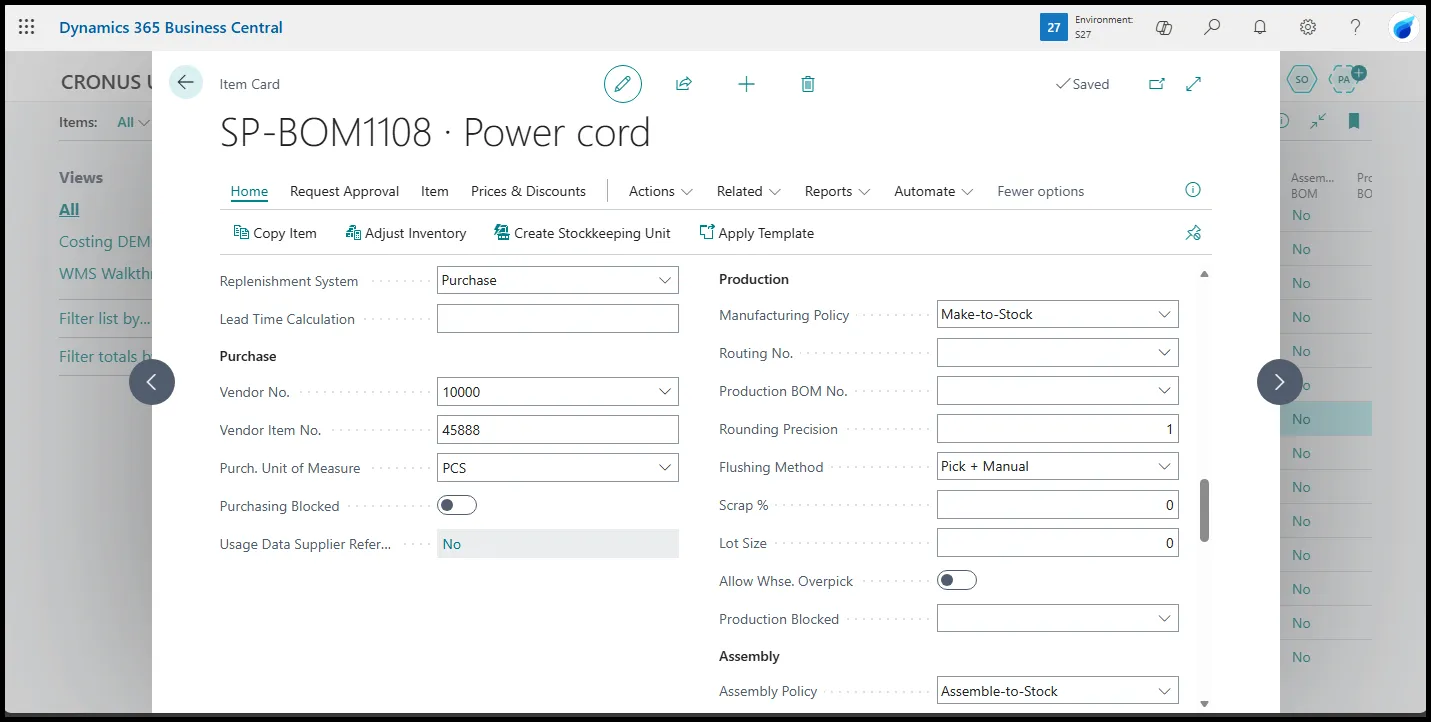
In Business Central, to flush components means to consume them without going through a formal process to register the actual quantity of the products consumed for a production order. Flushing, in essence, allows the shopfloor team to skip the consumption journal.
Flushing components is a common process in manufacturing when the quantity of one or more components in a production order does not vary from the Production Bill of Materials (BOM).
The automation of this consumption job happens either at the start of an operation, in which case we have Forward Flushing or when the operation is completed, which means Backward Flushing.
Flushing by order vs operation
In Business Central, flushing can be set up so that the automatic consumption of the components happens at the start or end of specific operations or the whole order.
When we use flushing by operation, which is the most common in complex manufacturing scenarios, Business Central requires Routing Links that create a bond between the routing line (operation) and the components to flush.
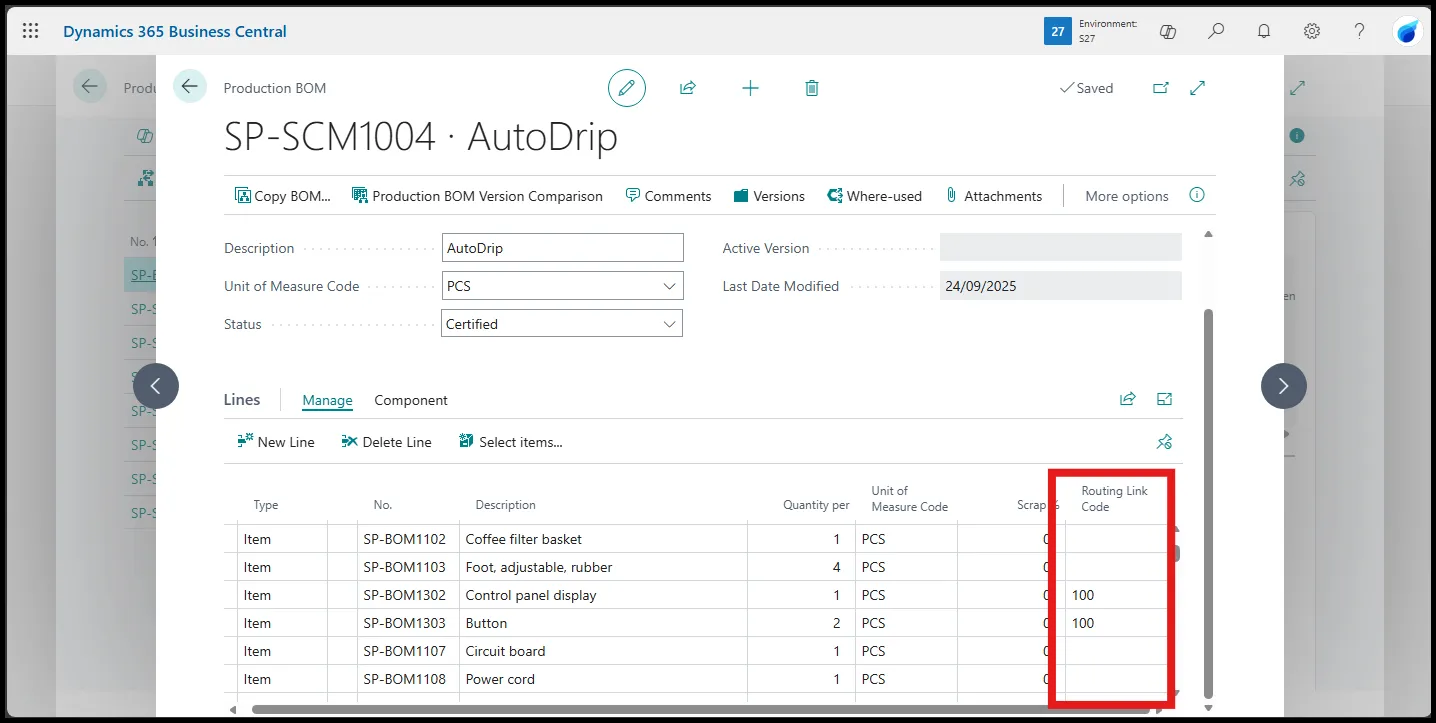
When not using Routing Links, the components will be flushed using this logic:
- Forward Flushing: Consumption happens when the Production Order status changes to Released
- Backward Flushing: Consumption happens when the Production Order status changes to Finished.
Flushing components vs capacity, the difference
In Business Central, Work and Machine Centres also support Flushing Methods, but these apply to capacity, not material consumption.
Using a flushing method on Work or Machine Centres, automate the output and the registration of capacity for specific operations.
In Business Central, the output of an operation does not always mean the physical output of the finished item, which happens only on the last operation of a production order. The output of an operation other than the last signals the completion of that operation, which registers the expected runtime and could also trigger material flushing and the start of the next operation. As a consequence of completing the operation, the next one can start.
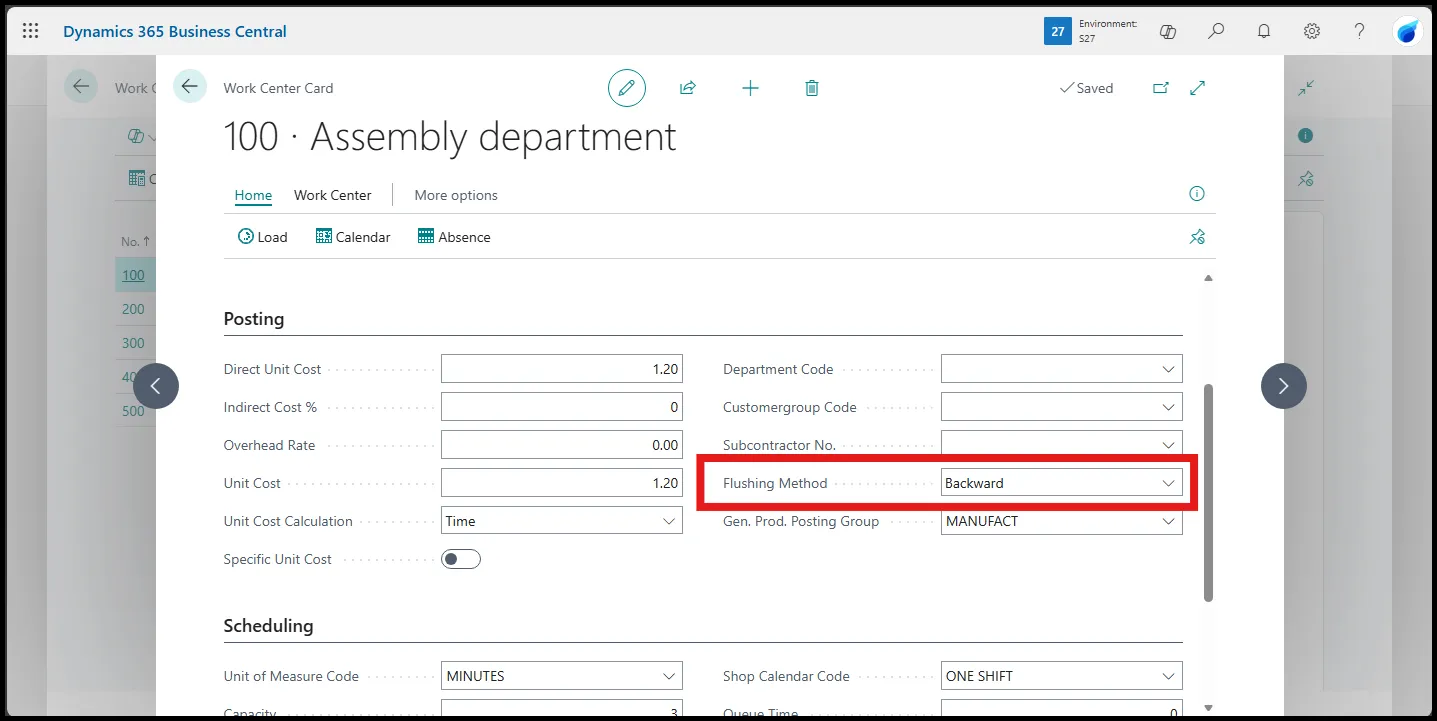
Combining flushing components and capacity allows the shopfloor team to automate most, if not all, manufacturing tasks.
Use cases, when and why you should flush components or capacity
Organisations can achieve various degrees of automation using flushing methods, but that is not always recommended. This is when flushing is typically used:
- Small parts where material variance is irrelevant, such as bolts or screws
- Materials for which exact measures are not tracked, such as liquid coolant, glue or paint.
- Components where variance never occurs. For example, when a semi-product (WIP item) is consumed to produce one finished product.
When a component is consumed, and the variance is either immaterial or unlikely, flushing methods are the perfect choice to automate consumption.
Conversely, when components are subject to high variance and the costs are significant, flushing methods are not recommended.
How to use warehouse activities to pick and flush components
When using a location with bins and warehouse management features, shopfloor teams can use additional flushing methods:
- Pick + Forward: The component must be picked and placed in the To-Production Bin (Also known as intake in other ERPs). The item will be consumed at the start of the operation or when the production order is released.
- Pick + Backward: Same as above, but the item will be consumed at the end of the operation or when the production order is finished.
- Pick + Manual: The component must be picked, and the consumption must be registered manually.
Using flushing methods with warehouse activities and default bins
When a component is set up with a flushing method, and the production order is linked to a location with bins mandatory, Business Central will assign default bins to the component based on specific rules:
| Flushing Method | Default Bin |
|---|---|
| Manual | To-Production |
| Pick + Manual | To-Production |
| Forward (pick is not necessary) | Open Shopfloor |
| Backward (pick is not necessary) | Open Shopfloor |
| Pick + Forward | To-Production |
| Pick + Backward | To-Production |
Default bins are assigned based on the rules set up on the location card, but also on the Work or Machine Centres when routing links are enabled.
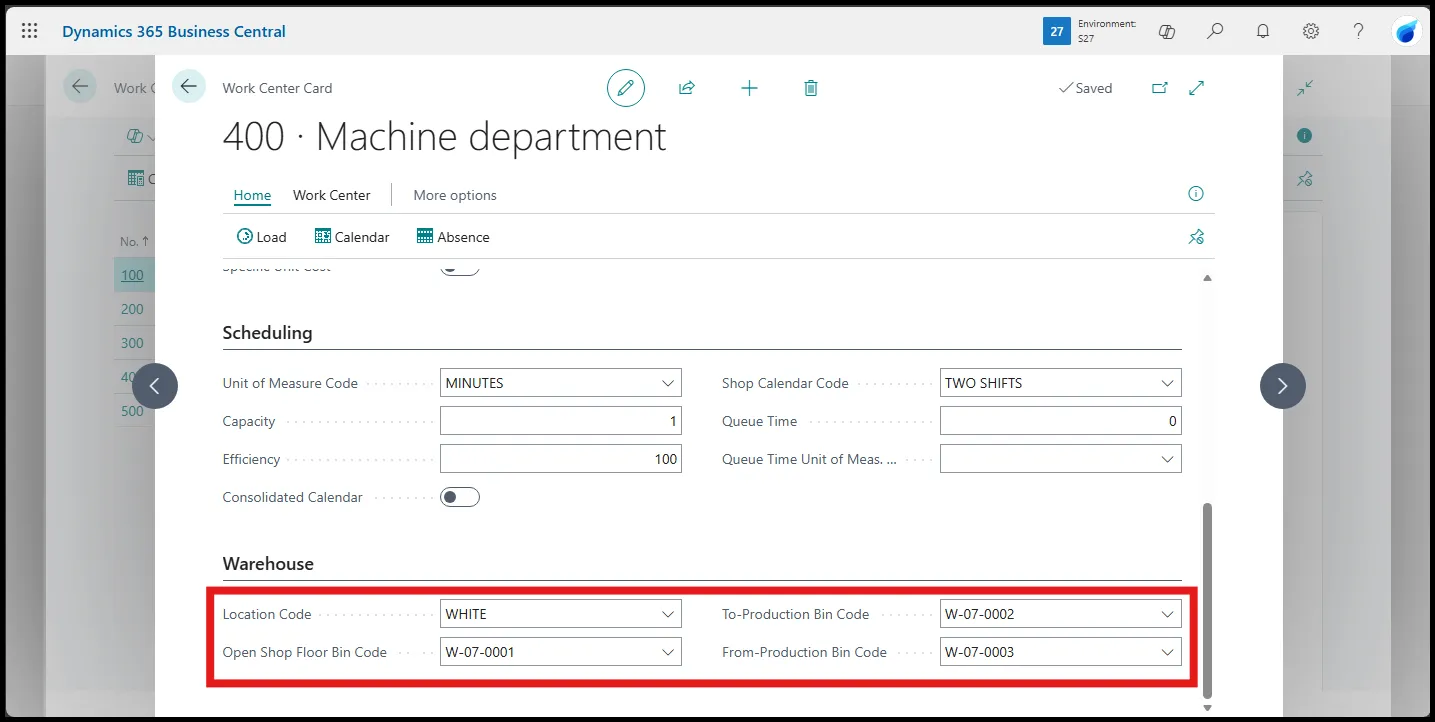
For example, suppose an operator consumes screws when assembling a piece of equipment as part of a production order. The screws will be backflushed once the operator has registered time for the Assembly operation and marked the operation as Finished.
The screws are likely placed in a drawer or bucket in the assembly department, which is set up with a dedicated Open Shopfloor bin. Using routing links and default bins on the Assembly work centre, Business Central will backflush the screws from the open shopfloor bin of the assembly department, not the one on the location card.
At the end of the shift, a warehouse operator can check if there are enough screws left; if required, a bin movement can replenish the screws from storage to the assembly department.
Summary
Use flushing methods to automate consumption and capacity. Choose between flushing by order or by operation using routing links and use them to automate tasks in a warehouse location using dedicated methods like Pick + Backwards and default bins to streamline warehouse and shopfloor automation.