AZ-900 Exam Topics: Guide to Azure Fundamentals Success
Key takeaways
- The AZ 900 exam tests three domains: Cloud Concepts (~25–30%), Azure Architecture and Services (~35–40%), and Azure Management and Governance (~30–35%), with the architecture domain carrying the heaviest question load.
- Concrete Azure services matter more than abstract theory: study regions, resource groups, compute options (virtual machines, containers, and functions), Microsoft Entra ID, Azure Cost Management, and storage redundancy.
- Core exam topics map directly to real scenarios in a cloud environment — choosing availability zones for high availability, using Azure Policy for governance, or selecting between IaaS and PaaS for a workload.
- The exam code is AZ-900, it earns the Microsoft Azure Fundamentals certification, is delivered via Pearson VUE, and requires a passing score of 700 out of 1,000.
- Focus study time on the two heavier domains (architecture and governance) while using bullet-point summaries and hands-on labs to reinforce cloud concepts.
Introduction to the AZ-900 Microsoft Azure Fundamentals Exam
The AZ 900 Microsoft Azure Fundamentals exam validates basic knowledge of cloud platforms and Azure resources. It is a beginner-level exam designed for new IT professionals, business decision-makers, students exploring cloud careers, and anyone who needs foundational knowledge of Microsoft Azure. The AZ-900 certification validates understanding of cloud concepts, core Azure services, and governance principles without requiring prior technical experience.
AZ-900 is a foundational certification with no prerequisites. It is delivered via Pearson VUE, scored on a 1,000-point scale with 700 as the passing mark, and typically costs US$99. The AZ-900 exam tests basic knowledge of cloud computing models and infrastructure services across roughly 40–60 questions in about 45 minutes. Microsoft updates the skills outline periodically; this article follows the skills measured as of 20 July 2026. The rest of this article mirrors the main exam domains and subtopics so you can quickly identify what to study.
Book the exam and find practice tests on the AZ-900 certification page.
AZ-900 Exam Structure, Domains, and Weightage
The AZ-900 exam consists of three main domains. Understanding how topics are distributed helps candidates prioritise study time, especially for the heavier architecture and governance sections.
| Domain | Approximate Weight |
|---|---|
| Describe Cloud Concepts | 25–30% |
| Describe Azure Architecture and Services | 35–40% |
| Describe Azure Management and Governance | 30–35% |
Question types include multiple choice, multiple select, drag-and-drop, and scenario-based questions. There are no hands-on labs at this fundamentals level. Expect questions like choosing the best service for a scenario or identifying responsibilities in the shared responsibility model. Cloud Concepts require less preparation than other domains because the content is more theoretical, but do not skip it entirely. Candidates can attempt AZ-900 up to five times in a 12-month period (24 hours after a first fail, then 14 days). See the official AZ-900 exam page.
Cloud Concepts and Core Cloud Platforms
This section covers the “Describe cloud concepts” domain. Cloud computing provides on-demand access to computing resources — compute, storage, networking — delivered over the internet with consumption-based pricing models.
Key characteristics of cloud platforms include:
- Scalability and elasticity: cloud platforms offer scalable resources to meet demand, growing or shrinking capacity automatically.
- High availability and reliability: cloud services provide high availability for applications and cloud computing enhances scalability and reliability for businesses.
- Security: integrated security features enhance data protection in the cloud.
- Performance: cloud services ensure constant performance for users through globally distributed infrastructure.
Cloud concepts include the shared responsibility model and consumption-based pricing. The shared responsibility model clarifies security responsibilities in Azure: Microsoft Azure controls physical datacentres and underlying technology, while clients are responsible for data, identities, and access management.
Deployment models: public, private, and hybrid are cloud deployment models. Azure serves as the reference public cloud platform, while hybrid cloud combines on-premises resources with cloud services.
Cloud service types break down into three categories:
- Infrastructure as a Service (IaaS) provides virtual machines and storage — for example, Azure Virtual Machines.
- Platform as a Service (PaaS) allows developers to build applications without managing infrastructure — for example, Azure App Service.
- Software as a Service (SaaS) delivers fully managed applications via subscription — for example, Microsoft 365.
Cloud services use consumption-based pricing models. Pay-as-you-go pricing contrasts with traditional IT investments, and cloud pricing models include capital expenditure (CapEx) and operational expenditure (OpEx). Azure uses consumption-based pricing for cloud services, so you only pay for what you consume.
Azure Global Infrastructure: Regions, Availability Zones, and Resource Organisation
Azure datacentres operate globally to support cloud services. Azure’s core components include regions and region pairs, which provide geographic redundancy and data residency compliance.
Azure uses availability zones for high availability. Each Azure region may contain multiple physically separated datacentres (availability zones) that provide fault isolation for compute and storage services. Choosing the right Azure regions matters for latency, compliance, and disaster recovery.
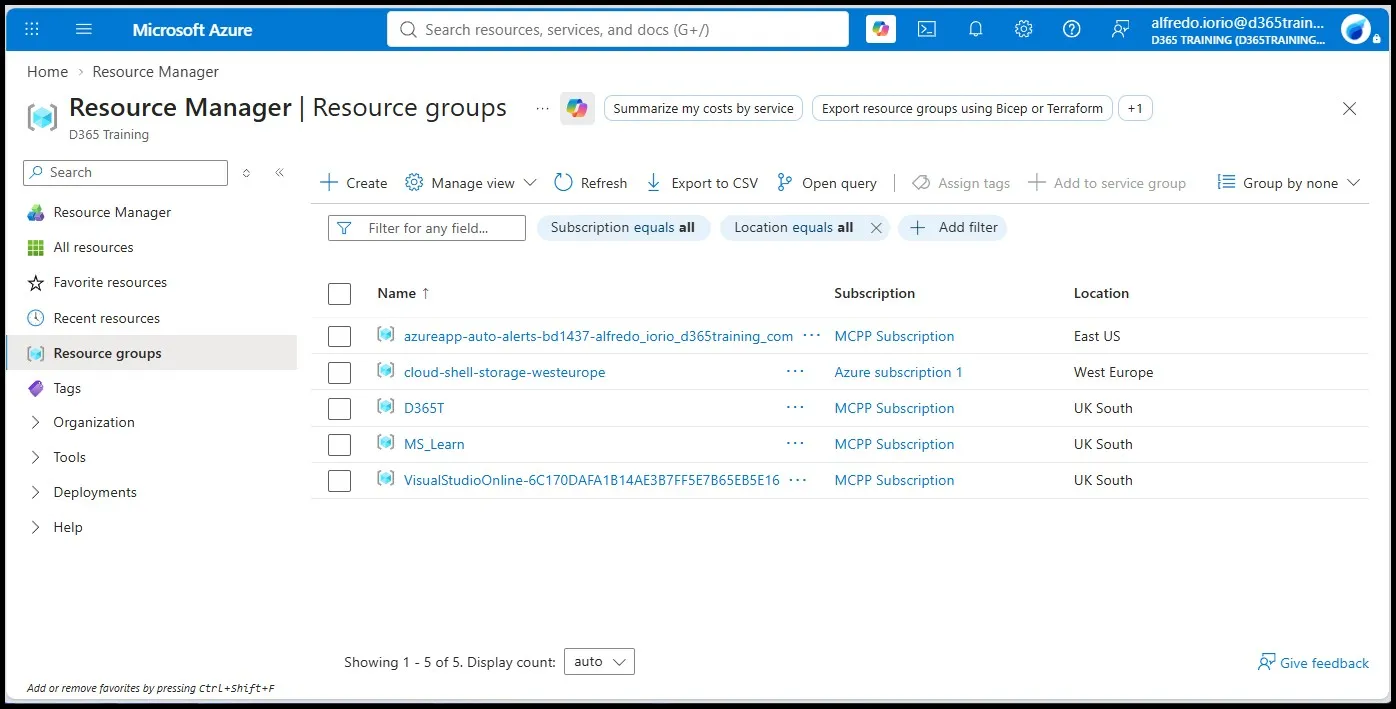
Resources in Azure are organised using management groups and subscriptions. The hierarchy flows from management groups down to subscriptions, then resource groups, and finally individual Azure resources. Resource groups serve as logical containers for grouping related resources by lifecycle, project, or environment.
Azure Resource Manager (ARM) is the deployment and management layer for all Azure resources. You can describe Azure Resource Manager as the engine behind declarative templates and consistent governance. ARM templates enable infrastructure as code for Azure resources, allowing repeatable, version-controlled deployments.
Core Azure Services: Compute, Networking, and Storage
This section covers the heart of the “Describe Azure architecture and services” domain. It represents the largest share of exam topics AZ-900 candidates encounter. The July 2026 outline groups this as compute and networking, storage, identity, and the core architectural components — not a separate databases domain.
Compute
The exam asks you to compare compute types: virtual machines, containers, and functions. Azure Virtual Machines give you an operating system you manage. Azure Functions is serverless. Containers appear as Azure Kubernetes Service and Azure Container Instances. Hosting options also include Azure App Service (web apps) and Azure Virtual Desktop. Know what a virtual machine needs (compute, storage, networking, identity), plus scale sets and availability sets.
Networking
Azure Virtual Network enables secure communication between resources through isolated network segments and subnets. Networking services in Azure include VPN Gateway and ExpressRoute. VPN Gateway provides secure connectivity to Azure resources over encrypted tunnels, while ExpressRoute provides private connections to Azure services bypassing the public internet. Azure Load Balancer distributes network traffic across multiple servers. Azure DNS manages domain names for Azure services. Application Gateway handles web-specific traffic routing and load balancing for Azure virtual networks.
Storage
Azure offers Blob, Disk, File, and Data Lake Storage for different workload needs. Azure Blob Storage handles unstructured data like images and logs. Azure provides redundancy options for data storage, including locally redundant storage (LRS) and geo-redundant storage (GRS). Azure storage tiers balance cost, durability, and performance — hot, cool, and archive tiers let you optimise spend. Tools like Azure Migrate, AzCopy, Azure File Sync, and Azure Storage Explorer help move and manage data across environments. Cosmos DB and Azure SQL Database can appear as examples of Azure services; they are not a weighted heading on the current skills list.
Service Level Agreements in Azure define service availability and support, and combining availability zones with redundant storage options improves composite SLAs.
Azure Management and Governance Tools
This section aligns with the “Describe Azure management and governance” domain (30–35%) and focuses on real management tools and dashboards. Governance tools help maintain control over cloud systems.
Management Tools
Azure Portal is a primary tool for managing resources through a web-based GUI. Azure CLI and Azure PowerShell provide command-line alternatives for scripting and automation. Azure Cloud Shell supports both CLI and PowerShell directly in the browser, requiring no local installation. Azure Arc manages multi-cloud and hybrid environments, extending Azure management to on-premises and third-party cloud platforms.
Governance
Azure Policy enforces standards across Azure resources by evaluating configurations against defined rules. Resource Locks prevent unplanned changes to critical resources — you can set “Delete” or “Read-only” locks. Resource tags help categorise resources for cost tracking and organisation; tags describe features of resources like department, environment, or owner. Microsoft Purview helps ensure compliance in Azure environments by providing data governance and classification capabilities.
Cost Management
Azure Cost Management tracks and plans expenses effectively, providing insights into spending patterns. Azure provides a Pricing Calculator for cost estimation before deploying resources. The Azure Pricing Calculator lets you describe cost management scenarios by modeling workloads. Resource tags help minimize expenses in Azure Cost Management by enabling granular cost allocation.
Monitoring
Azure Monitor provides visibility into system health through logs, metrics, and Azure Monitor alerts. Azure Advisor offers recommendations for optimising resources across cost, security, reliability, and performance. Azure Service Health alerts users about service issues and planned maintenance. Application Insights monitors application performance and usage as part of the Azure Monitor ecosystem.
Identity, Security, and Access Management with Microsoft Entra ID
Microsoft Entra ID (formerly Azure Active Directory) is Azure’s identity management solution and the central identity service tested on the AZ 900 Microsoft Azure Fundamentals exam. Microsoft Entra Domain Services provides managed domain services for legacy applications. If you also work with Dynamics 365, see Microsoft Entra ID for Dynamics 365.
Core concepts include tenants, users, groups, and service principals. Each Azure subscription is associated with a Microsoft Entra ID tenant, which controls Azure identity and access management.
Authentication and access controls:
- Single Sign-On (SSO) simplifies user access in Azure by allowing one set of credentials across multiple applications.
- Multi-Factor Authentication (MFA) enhances security in Azure by requiring a second verification step.
- Passwordless authentication is a security feature in Azure supporting methods like FIDO2 keys and the Microsoft Authenticator app.
- Azure Role-Based Access Control (RBAC) manages user permissions, ensuring least-privilege access to Azure resources.
At a conceptual level, Conditional Access policies evaluate signals like user location or device state before granting access. The Zero Trust approach assumes breach and verifies every request. Microsoft Defender for Cloud provides security posture management and threat protection across your cloud environment.
Business Continuity, High Availability, and Compliance in Azure
Azure provides several layers of resilience through real services rather than abstract theory.
- Availability sets and availability zones: availability zones distribute workloads across physically separate datacentres within a region. Cloud services provide high availability for applications when deployed across multiple zones.
- Load balancing: Azure Load Balancer and Application Gateway distribute traffic to healthy instances automatically.
- Backup and disaster recovery: Azure Backup and Azure Site Recovery support recovery point objectives (RPO) and recovery time objectives (RTO) for critical workloads.
- Data redundancy: geo-redundant storage (GRS) and read-access GRS replicate data across Azure regions, meeting regulatory requirements and business continuity goals. Azure provides redundancy options for data storage at multiple levels.
Azure’s compliance framework includes built-in certifications (ISO, SOC, GDPR) accessible through the Microsoft Trust Center. Describe software and platform compliance only at the level required for the AZ-900 Microsoft Azure Fundamentals exam.
Study Strategy, Official Resources, and Exam Preparation Tips
Microsoft offers free official resources for AZ-900 preparation through the AZ-900T00 learning path and the official skills guide. Start here to align your study with exactly what’s tested.
Reinforce concepts with hands-on labs in an Azure free account. Deploy virtual machines, configure resource groups, and explore management tools so the names on the outline match what you see in the portal.
Structured courses like the Coursera Microsoft Azure Fundamentals AZ-900 Exam Prep specialization provide guided practice including applied learning projects. Check the listing for any current exam voucher.
Practice tests matter for AZ-900 exam readiness. Use Microsoft’s free practice assessment and, if you want a third-party bank, the MeasureUp link on the AZ-900 certification page. Focus on understanding why each correct answer is right.
Build a study plan that balances cloud concepts and governance theory with deploying resources in the Azure Portal. Prioritise the two heavier domains — Azure architecture and services and Azure management and governance — while using core concepts from the cloud technology domain as your foundation.
If you are placing AZ-900 next to Dynamics exams, see the Dynamics certification guide. Power Platform fundamentals is a different exam; the PL-900 exam guide covers that paper.
Frequently Asked Questions (FAQ)
How current is this AZ-900 exam topics overview?
This outline is aligned with Microsoft’s AZ-900 skills measured documentation as of 20 July 2026. Always confirm details against the latest official study guide before scheduling your test, as localised versions may lag.
Do I need hands-on Azure experience to pass Microsoft Azure Fundamentals (AZ-900)?
AZ-900 is a fundamentals exam that can be passed with strong conceptual knowledge. A few hours of hands-on practice with Azure Portal, resource groups, basic compute, and management tools helps you recall the names. Microsoft fundamentals certifications do not expire.
Is AZ-900 required before taking other Azure certifications?
AZ-900 is not a mandatory prerequisite for role-based certifications such as Azure Administrator Associate (AZ-104) or Azure Developer Associate. However, it provides foundational knowledge that makes advanced Azure certifications easier to approach, especially for those new to cloud support and cloud technology.
How long should I prepare for the AZ-900 Microsoft Azure Fundamentals exam?
A typical preparation window is 2–6 weeks depending on prior cloud knowledge. Learners new to IT should budget 3–6 weeks (roughly 15–25 hours), while those with existing cloud or infrastructure experience may need only 1–3 weeks of targeted study using Microsoft Learn.
What is the difference between AZ-900 and other cloud fundamentals exams?
AZ-900 focuses specifically on Microsoft Azure Fundamentals, including Azure-specific services, management tools, and governance features. Other vendors’ fundamentals exams cover their own cloud platforms with different services and terminology. If your organisation uses Azure, AZ-900 is the right starting point for building Azure-specific foundational knowledge before pursuing advanced Azure certifications.